A battery monitor is the fuel gauge for your 12V system. Read it properly and you'll know what's using power, whether your solar is keeping up, and how long you can stay put. Read it wrong and it can tell you you're fine right up until the fridge stops.
1. Two kinds of monitor
- Voltage-only monitors (including many simple voltmeters and battery-box displays) show the battery voltage and guess the charge from it. That's a rough guide for AGM after the battery has rested, and a poor guide for lithium, whose voltage stays very flat across most of its range.
- Shunt-based monitors measure every amp going in and out through a shunt (a precise measuring link in the battery's negative connection) and keep count. That's far more accurate for any chemistry, as long as it's set up correctly.
Many lithium batteries also have their own Bluetooth app that reports what the battery's BMS measures. Treat it like a shunt monitor and check its manual for how it works out state of charge.
2. What each number means
| Reading | What it tells you |
|---|---|
| Volts (V) | The battery voltage right now. It rises while charging and dips under load |
| Amps (A) | The current right now. Usually positive (+) = charging, negative (−) = discharging |
| Watts (W) | Volts × amps: how hard the system is charging or drawing right now |
| State of charge (SoC, %) | The monitor's estimate of how full the battery is |
| Consumed amp-hours (Ah) | How much has been taken out since the battery was last full, usually shown as a negative number |
| Time remaining | How long until the battery reaches its set limit if the current draw stays the same |
Some monitors also show history: the deepest discharge, the number of cycles, and daily totals. Check your monitor's manual for its exact sign conventions and screens.
3. Reading it at camp
Worked example (illustrative figures, not a product reading):
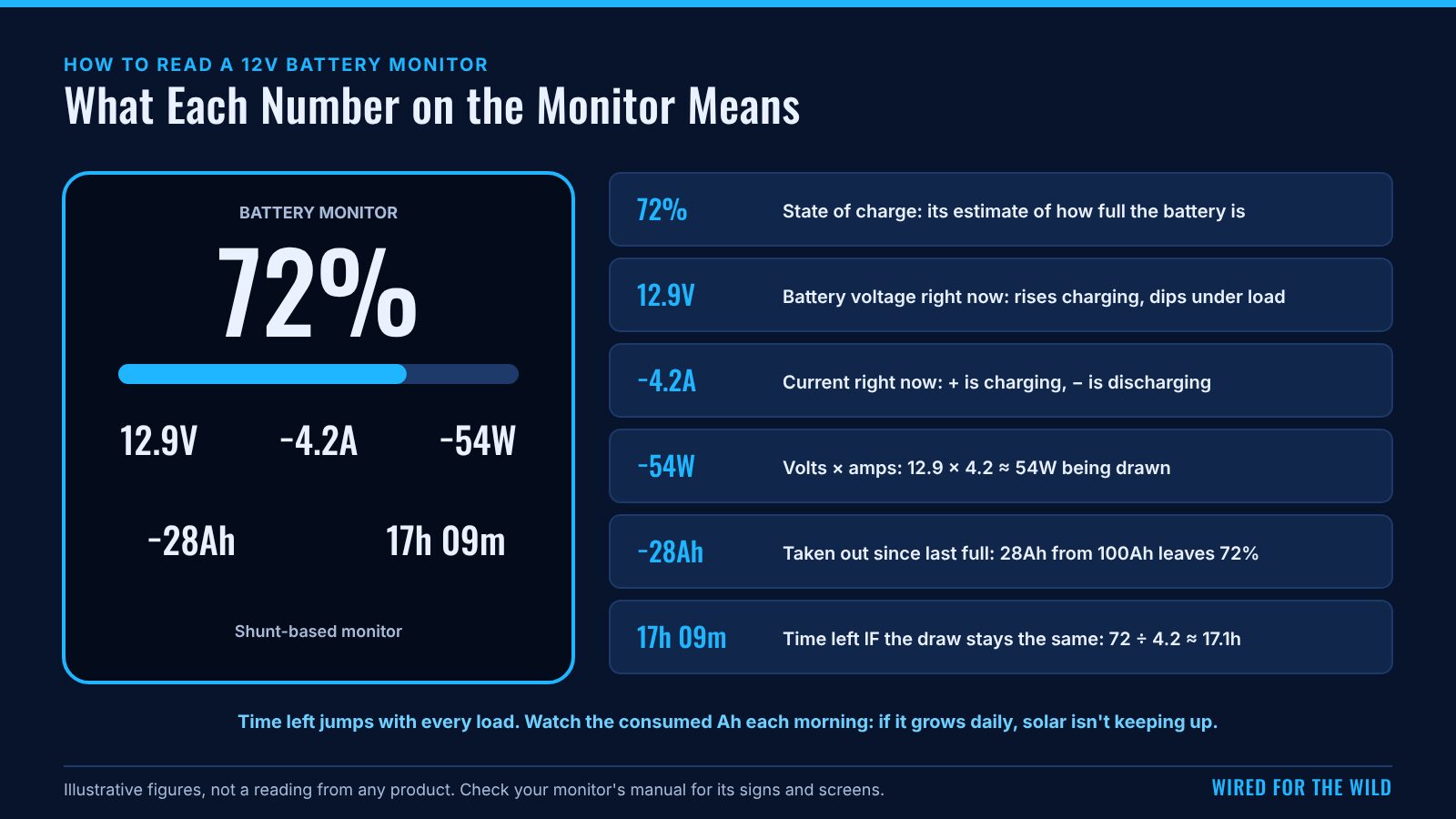
The monitor shows 12.9V, −4.2A, −54W, 72%, −28Ah, 17h 09m.
- −4.2A: the battery is supplying 4.2A. 12.9 × 4.2 ≈ 54W is being drawn, about what a fridge running plus a couple of lights might use.
- 72% and −28Ah: 28Ah has come out since the battery was last full. On a 100Ah battery that leaves 72%.
- 17h 09m: the monitor is working out how long the 72Ah left would last at 4.2A: 72 ÷ 4.2 ≈ 17.1 hours. Some monitors count down to a discharge floor you set instead of to empty, which gives a shorter time.
Time remaining jumps around. Switch the kettle inverter on and the draw jumps, so the time drops to minutes. When the fridge compressor stops, the time leaps back up. It's a "right now" figure. The daily trend matters more.
Is your solar keeping up? Look at the consumed Ah each morning. If it's getting bigger every day, you're using more than you're putting back. The Camping Trip Power Budget Calculator shows the same balance for a whole trip.
3a. Reading it while charging
The amps figure is the net current: everything charging the battery minus everything drawing from it.
Example (illustrative): the solar is putting about 12A into the system while the fridge and lights draw about 4.2A. The monitor shows about +7.8A. The battery is gaining 7.8A, not 12A.
So a monitor showing only a small positive current at midday doesn't mean the solar is weak. It may be busy running the fridge too. Some solar controllers show their own output separately, and comparing the two tells you how much is going to the loads.
A charging reading such as 13.6V, +18.5A means about 13.6 × 18.5 ≈ 252W going into the battery at that moment.
3b. The three-morning trend
The single most useful habit: write down the consumed Ah at the same time each morning.
Example (illustrative), on a 100Ah lithium battery with 80Ah usable:
| Morning | Consumed Ah | Change |
|---|---|---|
| Day 1, 7am | −30Ah | Start |
| Day 2, 7am | −42Ah | 12Ah worse |
| Day 3, 7am | −55Ah | 13Ah worse |
It's falling behind by about 12 to 13Ah a day. With 80 − 55 = 25Ah usable left, that's roughly 2 more days before reaching the usable limit, unless the charging improves or the use drops.
If the consumed Ah returns to near zero, or the monitor resets to 100%, after a sunny day or a drive, the charging is keeping up.
4. Keeping it accurate
A shunt monitor is only as good as its settings and its last "full".
- Set the battery capacity to the battery's real rating.
- Set the charged conditions (often a charged voltage and a tail current) to suit your battery and charger, using the battery maker's and monitor maker's guidance. When the monitor sees these, it resets itself to 100%.
- Get it to full regularly. Every time the battery isn't charged right up, small counting errors build up. Monitors need resetting to full now and then, per their manuals. A fully charged battery is the reset point.
- Lead-acid settings: many monitors have extra settings for lead-acid batteries, such as charge efficiency and a Peukert exponent. Use the battery maker's figures or the monitor's defaults.
- Everything must go through the shunt. If a charger or load connects straight to the battery terminal and bypasses the shunt, the monitor can't see it. That's an installation fix for whoever fitted it, following the monitor's manual. An auto electrician can check it if you're not sure.
4a. Setup checklist
| Setting | What to enter | Where to find it |
|---|---|---|
| Battery capacity (Ah) | The bank's real total rating | Battery label or data sheet |
| Charged voltage | A figure that suits your battery and charger | Monitor manual and battery maker |
| Tail current | The low current that marks "full" | Monitor manual |
| Discharge floor (if offered) | The lowest SoC you want to plan to | Your choice, within the battery maker's limits |
| Battery type or chemistry settings | Lithium or lead-acid values | Monitor manual |
| Charge efficiency and Peukert (lead-acid) | Maker's figures or defaults | Battery maker or monitor manual |
After setup, charge the battery fully so the monitor starts from a known 100%.
5. Signs the monitor is wrong
- It says 100% but the voltage is low and the fridge is struggling.
- It says 20% but the battery has just been on mains charge all day.
- The SoC drifts further from reality every day of the trip.
- It shows a small current when everything's switched off. Some standby draw is normal (the monitor, a radio's memory), but a large draw with everything off is worth finding.
Usually the fix is the capacity setting, the charged settings, or a full charge to resync it. If that doesn't fix it, check the monitor manual.
5a. What the monitor says vs what's happening
| The monitor says | What may be happening | What to do |
|---|---|---|
| 100%, but the fridge is struggling | Capacity set too high, or not resynced for a long time | Check the capacity; charge fully to resync |
| Low SoC after a day on mains charge | Capacity set too low, or a charger bypassing the shunt | Check settings; ask the installer about the connection |
| SoC drifts further off every day | Never reaching full; counting errors building up | Get a full charge; check the charged settings |
| Large current with everything off | A hidden load | Switch circuits off one at a time to find it |
| Time remaining swings wildly | Loads cycling on and off | Normal. Watch the morning trend instead |
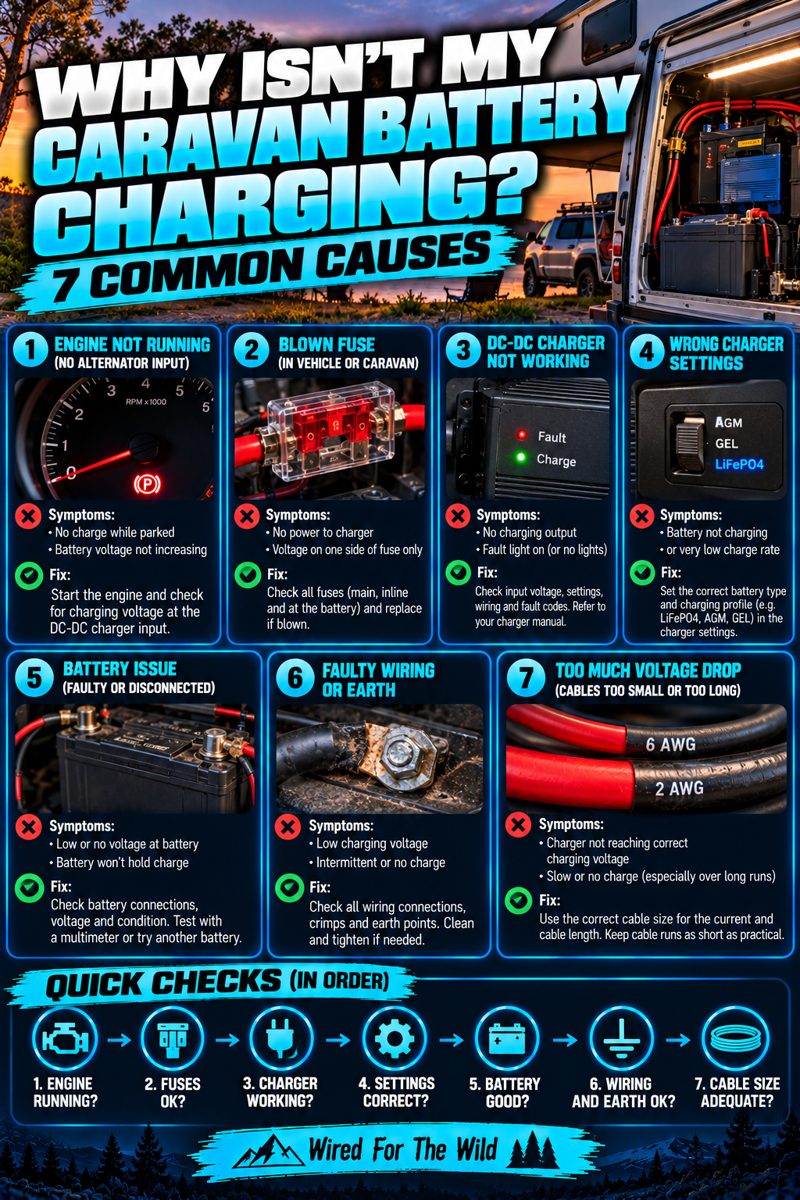
| Voltage dips a lot when a big load starts | Normal under heavy load; a large dip may point to a connection or battery issue | Compare with earlier trips; see Why Isn't My Caravan Battery Charging? |
6. Common mistakes
- Trusting the voltage alone on lithium. The voltage hardly moves until the battery's nearly empty.
- Reading time remaining as a promise. It changes with every load.
- Never charging to full, so the monitor never resets.
- Setting the capacity wrong, such as entering the bank's total when you've added a second battery, or forgetting to.
- Ignoring the trend. One reading tells you less than the same reading every morning.
6a. Morning log (fill in)
| Date | Time | Volts | Consumed Ah | SoC % | Weather / charging that day | Notes |
|---|---|---|---|---|---|---|
7. What next
- Work out what you should be using with How to Calculate Your 12V Power Needs.
- Size your battery with the Daily Energy Use & Battery Size Calculator.
- Battery not charging? See Why Isn't My Caravan Battery Charging?.
8. Frequently asked questions
Why does my monitor say 100% straight after charging when the voltage is falling?
Voltage settles after charging, which is normal. The SoC comes from counting, not from the voltage.
Can I trust the battery's own Bluetooth app instead?
Often, yes. It reports what the BMS measures. Check its manual for how it works out state of charge, and compare it with a full charge now and then.
What does the minus sign mean?
Usually that the battery is discharging. Check your monitor's manual for its convention.
How often should the battery reach 100%?
Regularly enough for the monitor to resync. The monitor's manual explains when it resets.
Why is time remaining so different from yesterday?
It's based on the current draw right now. Use the morning consumed-Ah trend for planning.
Safety: a battery monitor's shunt sits in the battery's main negative connection and carries the full system current. Install and connect it only as its manual says, and have an auto electrician do it or check it if you're unsure. Work on 240V AC wiring must be done by a licensed electrician.